Employee handbook acknowledgement
Make employee handbook acknowledgements easier to manage.
Give new hires and existing employees one clear place to review their assigned handbook. See who has acknowledged it, who is still pending, and which version each record belongs to.
Free Foundation plan · No credit card required
Start with a handbook your company has reviewed
Prepare the handbook as a controlled document, using the Employee Handbook document type and a category that makes it easy to find. Customize any starting template for your workplace. Review and approve the content through your company's normal process before publishing it for employees.
- Keep the draft separate from the published version.
- Use clear titles and descriptions so employees know what to review.
- Keep the document owner and category together with the content.
Give every recipient a clear next step
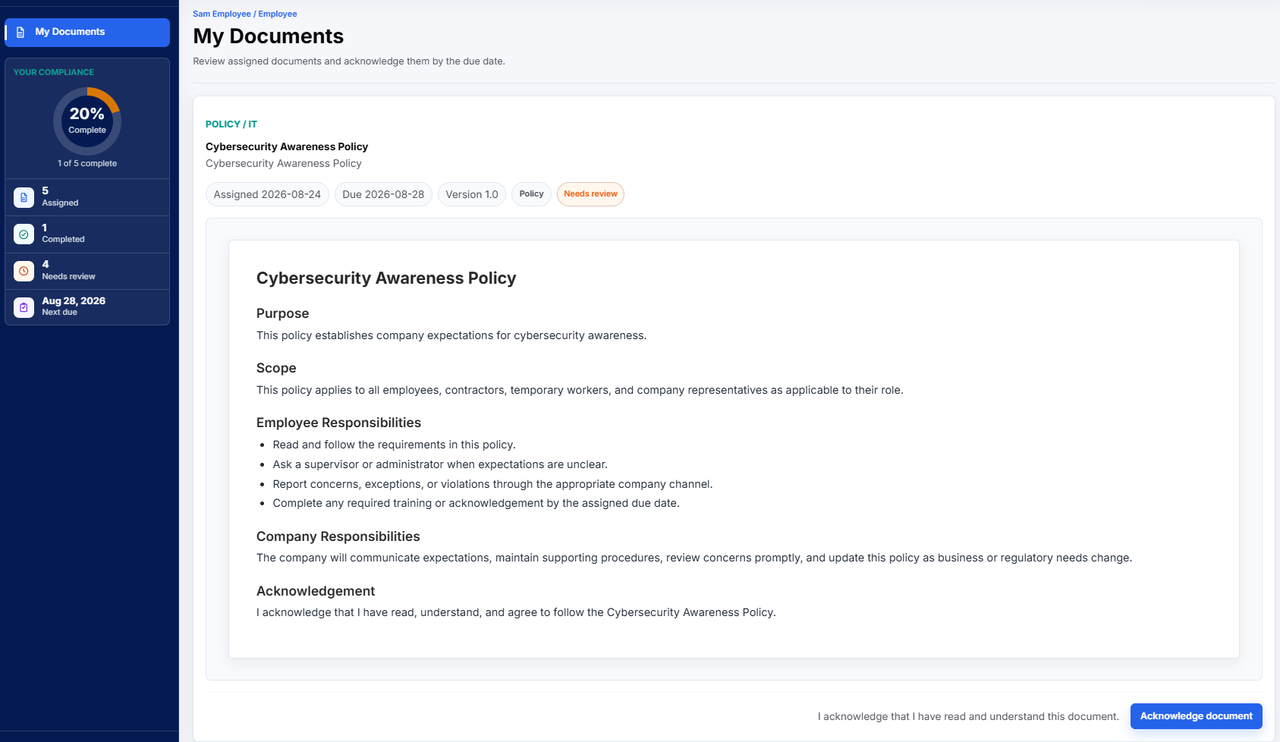
Invite employees with the email address they will use to sign in. Once the handbook is published, review your audience and create an assignment with a due date. Employees open My Documents, read the assigned version, and complete the acknowledgement action.
- Assign across the company or narrow the audience by location and department.
- Include new employees as they join the team.
- Resend the assignment notification if an employee needs another link.
Keep updates and acknowledgement records connected
When the handbook changes, publish the approved revision and review who needs the new assignment. Earlier acknowledgements remain associated with their assigned version. Use assignment status and acknowledgement history to answer questions about completion without relying on a collection of email replies.
- Track completed, pending, and overdue assignments.
- Review records for employees and Company Admins who receive assignments.
- Download an individual's acknowledgement history for your records.
In practice
Example: onboarding a new team member
An HR administrator adds an employee, confirms their department and location, and sends the invitation. The employee finishes account setup using that email address. HR then assigns the published handbook with a due date. The employee reviews it in My Documents and acknowledges it. HR checks the completed record instead of asking the employee to find an old email. Decide with your advisers what acknowledgement wording is appropriate for your handbook; the software does not make that legal decision for you.
One place for the documents your team needs to review.
Start with your first published document, assign it to the right people, and follow acknowledgement progress.
Get started